Change hours, closures and cancellation policy
Preview the impact before saving center settings.
Before you start
Manager sign-in and approved center policy decisions. Current reservations retain their saved cancellation policy.
Open the manager workspaceSteps
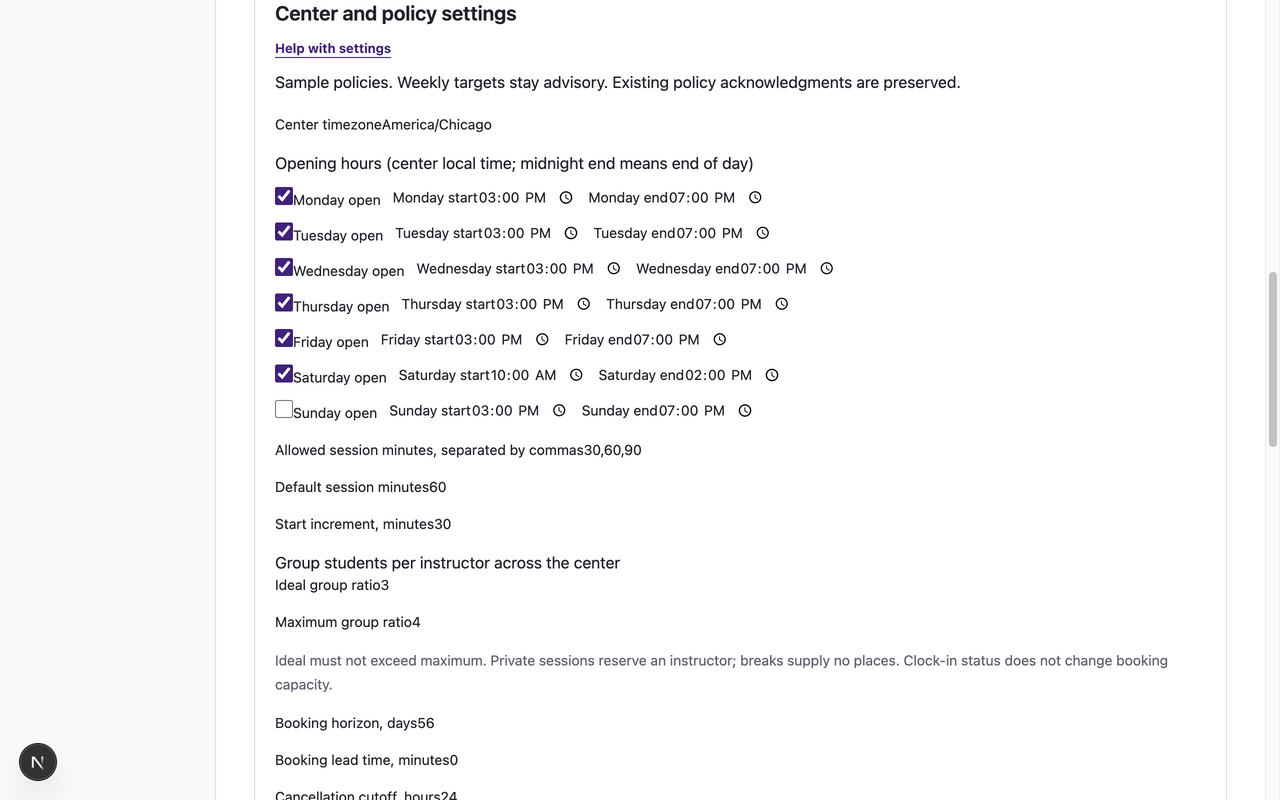
- Open Settings → Center and policy settings. Review the current timezone, session lengths, booking horizon, opening hours, closures, group ratios and policy fields before editing. Ideal and maximum group ratios apply across the center; ideal must not exceed maximum.
- Edit the supported fields and closure rows. Read each field’s label and units; an opening-hours change alone does not publish staffing or create places.
- Choose Preview settings impact. Review how many reservations would become invalid and the listed conflicts.
- Resolve conflicts or revise the proposed settings. Save settings is unavailable while affected reservations would become invalid. Preview again after any edit.
- Choose Save settings, wait for the save result, and review Settings audit history → Before and after policy.
What to expect
The validated settings are saved with audit history. New bookings use the applicable current policy; old bookings keep the policy saved when they were confirmed.
If something goes wrong
- A closure or hours reduction over confirmed demand is rejected. Reconcile the bookings through supported booking workflows before attempting the change.
- A stale settings revision requires refreshing Settings and reviewing the newer policy before retrying. Do not reuse an old preview.
- No fees or payments are computed. Do not treat sample values as your center’s policy; use the displayed configured language and obtain the center’s approved decisions.
Examples from a synthetic center
Screenshots use fictional people and sample dates/policies. Your center’s labels, dates and configured values may differ. All steps above are complete without images.