Manage family access and invitations
Invite guardians/staff and understand supported account operations.
Before you start
An active manager account. Parent invitations require an existing family; each account keeps one role.
Open the manager workspaceSteps
- Open Families → Family records and choose the existing family. Review students, bookings and Student details; edit Student name and choose Save student details where needed.
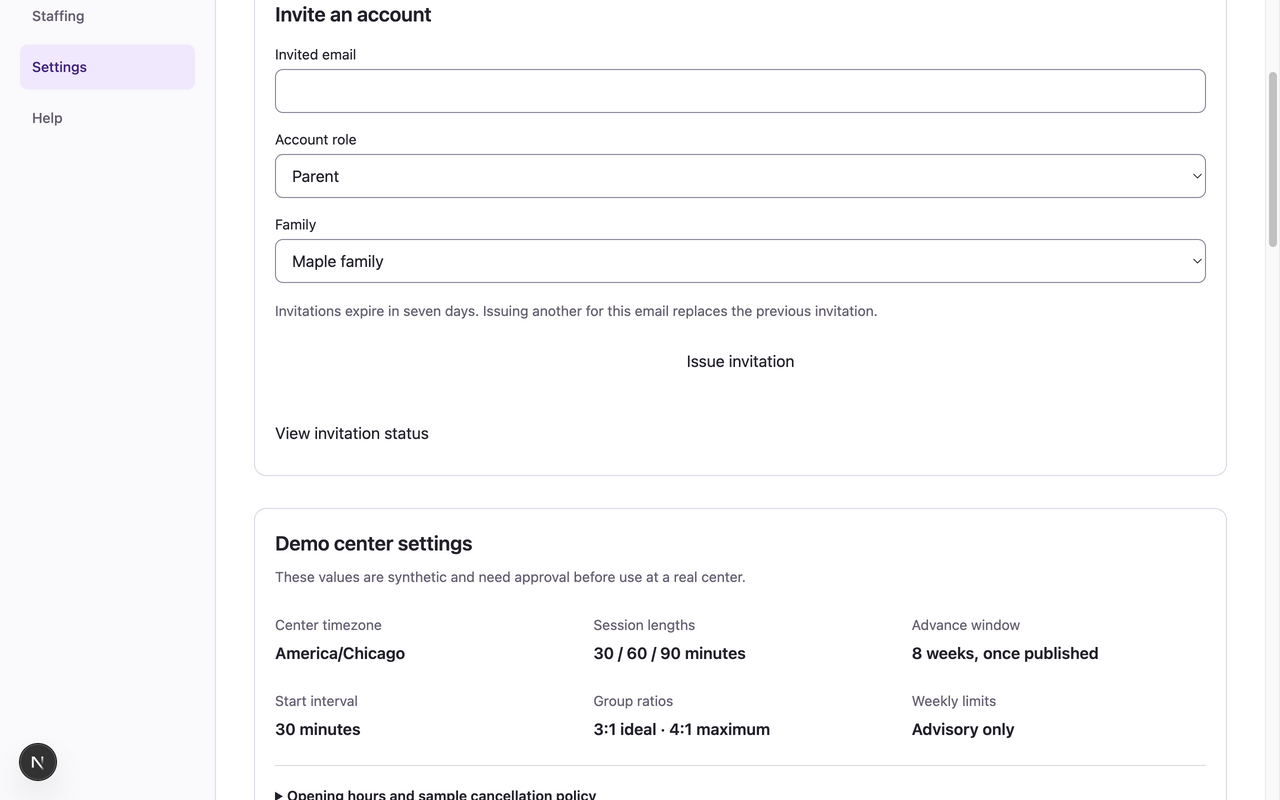
- Open Settings → Invite an account. Enter Invited email, choose Account role, and select the existing Family for a Parent. Staff invitations do not use a family.
- Choose Issue invitation. Share the invitation through your center’s approved private channel. The issuance-only code is sensitive; never include it in screenshots or public messages.
- Choose View invitation status to review status. Use Revoke on an unused invitation when appropriate. Issuing a replacement revokes the old one; a pending account must retain its original role and family.
- For suspension/reactivation, ask your authorized account administrator to use the supported authenticated manager account API procedure. There is currently no suspension button in this UI. Reactivation requires a completed verified account and fresh sign-in.
What to expect
An invitation gives its recipient the specified role/family after acceptance and verification. It does not change an existing completed account’s role or ownership.
If something goes wrong
- The app has no family/student creation form or family-name editor. There is also no ongoing family/student creation API or weekly-target editor. Ask the center’s operator about supported initial setup; coordinate any missing capability separately rather than inventing records in a form.
- Suspending an account revokes sessions but does not cancel shifts, bookings or history. Reconcile future work separately and preserve historical records. A manager cannot suspend their own account.
- Partial membership removal, email change, role conversion, lost-email recovery and all-managers-unavailable recovery are unsupported. Keep a working verified manager successor; do not use invitations to bypass those limits.
Examples from a synthetic center
Screenshots use fictional people and sample dates/policies. Your center’s labels, dates and configured values may differ. All steps above are complete without images.