Review notifications and delivery problems
Distinguish app controls from work that needs the center’s operator.
Before you start
Manager sign-in. Notifications appear under Settings; live delivery depends on the configured mail system. Synthetic capture is a local demonstration only.
Open the manager workspaceSteps
- Open Settings → Notifications. Review your optional email/reminder preferences and choose Save preferences if you change them. Account verification/recovery mail is separate from optional scheduling preferences.
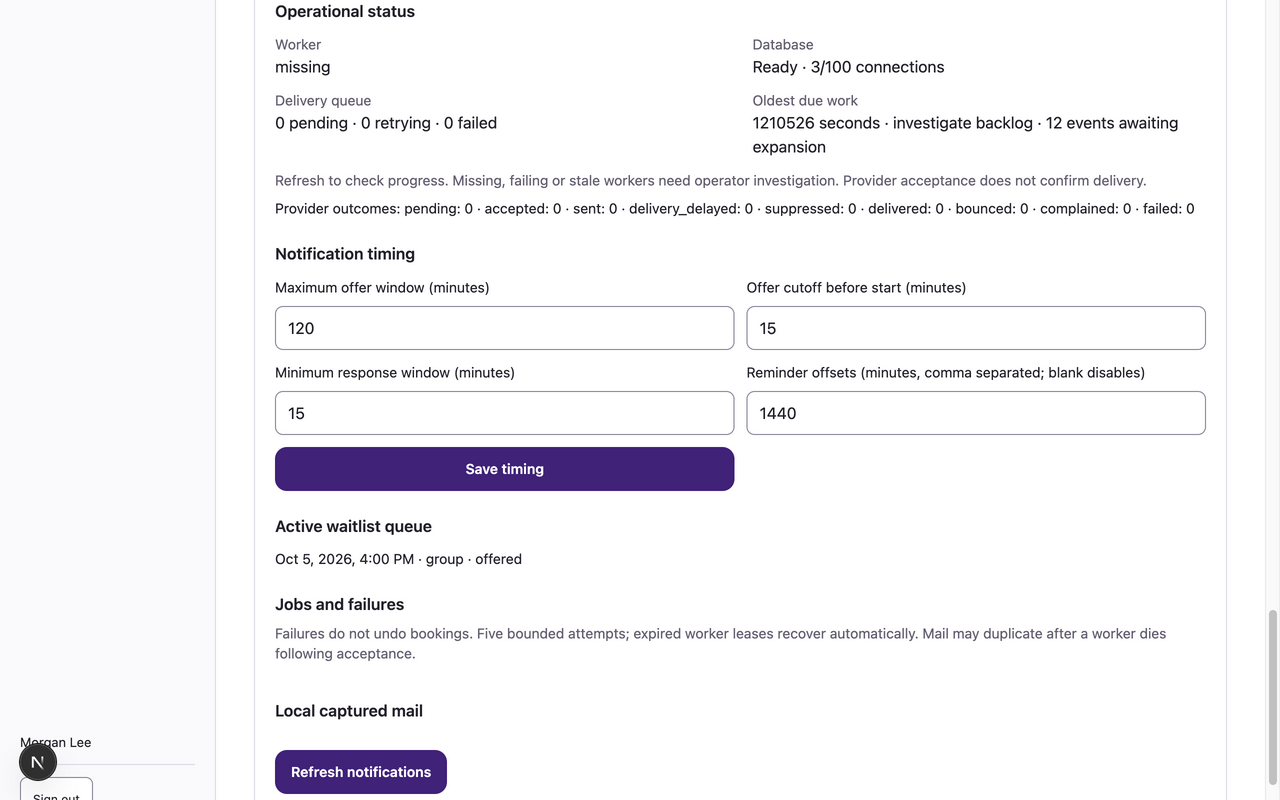
- Review Operational status: Worker, Database, Delivery queue, Oldest due work and Provider outcomes. Use Refresh notifications to check progress.
- Review Notification timing and Active waitlist queue. Change the supported offer/reminder timing fields only with approved center decisions and choose Save timing.
- In Jobs and failures, read the status, attempt count, provider outcome and Support reference. When live delivery exposes Retry failed notification, use it for an eligible failed scheduling job and refresh its status.
- If the worker is missing/failing/stale, backlog keeps growing, mail is suppressed, or an account email is missing, give the center’s operator the support reference and a description without passwords, invitation codes or reset links.
What to expect
You can inspect scheduling delivery and retry eligible failed notifications. Provider acceptance does not prove inbox delivery, and delivery failure does not undo a booking.
If something goes wrong
- Provider suppression after bounce/complaint requires restricted operator remediation with the recipient’s authorization. Browser preferences cannot clear real provider suppression or replay protected account emails; request fresh account mail after resolution.
- Worker/database repair, provider keys, sending-domain configuration and protected account queues are operator tasks, not manager UI controls.
- Local captured mail and failure simulation are synthetic-only demonstration controls. They are absent from production and are not instructions for receiving real account emails. In-app bookings/offers remain available when optional mail is disabled.
Examples from a synthetic center
Screenshots use fictional people and sample dates/policies. Your center’s labels, dates and configured values may differ. All steps above are complete without images.